How to Program Your Garage Door Remote: A Guide by The Lions Garage Door Repair
Programming your garage door remote doesn't have to be a challenge. Our guide from The Lions Garage Door Repair will walk you through each step to ensure convenience and security.

Introduction
Garage doors offer convenience and security to homeowners, but what happens when your remote stops working or you need to program a new one? Programming your garage door remote may seem complex, but with the right guidance, it can be a straightforward task. At The Lions Garage Door Repair, we’re here to help you understand the process step-by-step, ensuring that your garage door remains functional and secure in Waynesville, MO.
Understanding Your Garage Door Remote
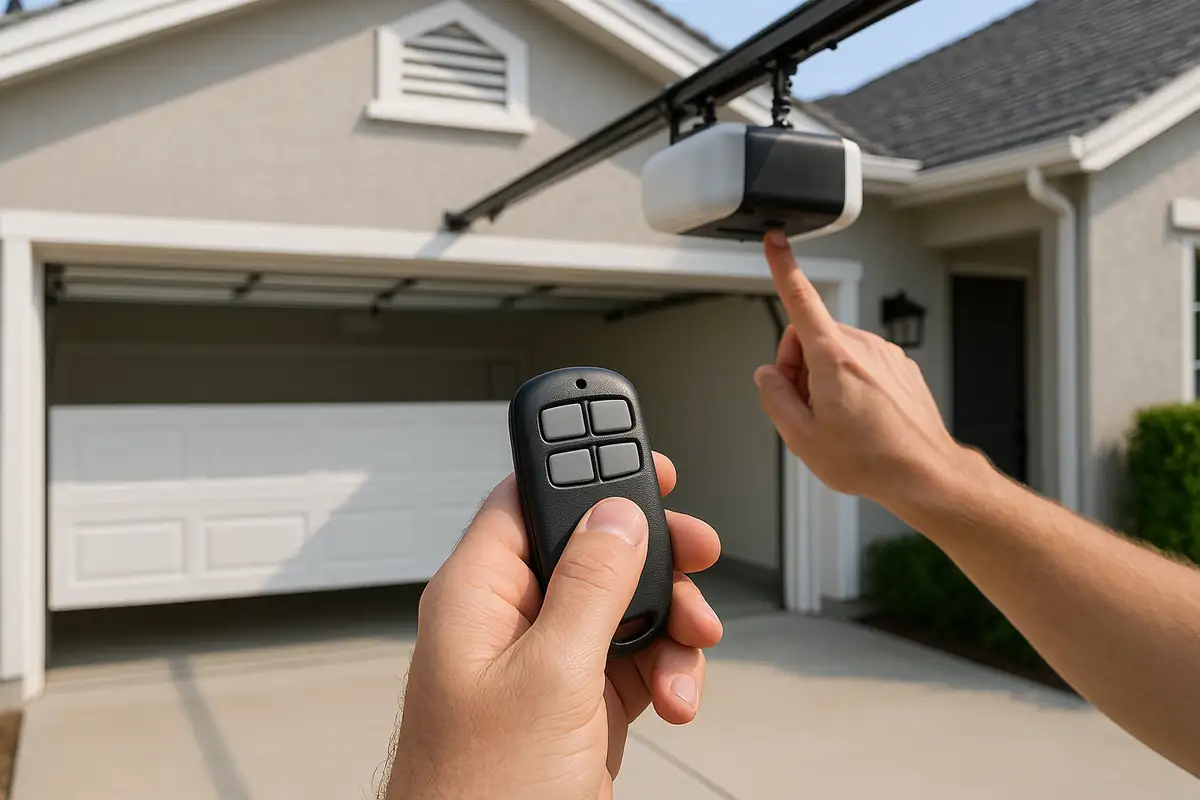
Before diving into the programming process, it’s essential to understand the components of your garage door remote and system:
- Remote Control: The handheld device you use to open and close your garage door.
- Receiver: The part of the garage door opener that communicates with the remote.
- Frequency: Most remotes operate on a specific frequency (usually 300-400 MHz) to minimize interference.
Types of Garage Door Remotes
There are generally two types of garage door remotes:
- Fixed Code Remotes: These use a specific code that does not change, making them more susceptible to unauthorized access.
- Rolling Code Remotes: These change the code each time the remote is used, enhancing security significantly.
Why You May Need to Program Your Garage Door Remote
There are several situations that may necessitate programming your garage door remote:
- You purchased a new garage door opener.
- Your remote is lost or damaged.
- You want to add new remotes for family members or friends.
- The remote malfunctions or becomes unresponsive.
Step-by-Step Guide to Programming Your Garage Door Remote
Now that you understand the basics, let’s get to the actual programming process. Here’s a comprehensive guide to programming your garage door remote:
Step 1: Gather Necessary Tools
Before starting, ensure you have:
- Your garage door remote
- A ladder (if needed, depending on your garage door opener)
- Owner's manual for your garage door opener (if available)
Step 2: Locate the Learn Button
The learn button is typically found on the back or side of the garage door opener motor. It may be covered by a plastic or metal panel. Here’s how to find it:
- Open your garage door and look for the opener unit, usually mounted on the ceiling.
- Check the manual for the exact location of the learn button.
Step 3: Prepare for Programming
Once you find the learn button:
- Press and hold the learn button until the indicator light turns on (usually about 1 to 2 seconds).
- Release the button, and the light should stay on for about 30 seconds.
Step 4: Program the Remote
Now, it's time to program the remote:
- While the learn light is on, press and hold the button on the remote you wish to program.
- Release the button once the garage door opener lights blink or you hear a clicking sound.
- The remote is now programmed!
Step 5: Test the Remote
After programming, it’s crucial to test the remote to ensure it’s working properly:
- Stand at a distance from the garage door.
- Press the button on the remote to open or close the garage door.
- Repeat this process with all remotes you’ve programmed.
Troubleshooting Common Issues
If your remote doesn't work after programming, consider these troubleshooting tips:
- Check Batteries: Ensure the remote has fresh batteries installed.
- Re-Program: Sometimes, the programming doesn’t take. Repeat the steps above.
- Distance Issues: Ensure you’re within range of the garage door opener.
- Interference: Other electronic devices may interfere with the signal; try to eliminate them.
When to Call a Professional
If you’ve attempted to program your garage door remote without success, it may be time to reach out for assistance. Here are a few signs that you should contact a professional:
- The garage door opener doesn't respond to the remote at all.
- You notice any unusual sounds or malfunctions when operating the door.
- The learn button is unresponsive or stuck.
Conclusion
Programming your garage door remote doesn’t have to be an overwhelming task. By following the steps outlined above, you can successfully program your remote and regain easy access to your garage. If you encounter any issues or prefer to leave it to the experts, remember that The Lions Garage Door Repair in Waynesville, MO, is always here to help. Contact us today for professional garage door services!
Explore More Resources
Related Articles
Service Areas
We proudly serve Waynesville, Pippin Place, Buckhorn, Gospel Ridge, Shady Grove and more areas.
Our Services
Professional garage door repair, spring repair, opener installation and more. View all services →
Garage Door Security: Protecting Your Home in Waynesville, MO
Energy Efficiency and Your Garage Door: Enhance Comfort with The Lions Garage Door Repair